
A desktop computer represents a commitment to performance, stability, and intentional workspace design. Unlike laptops that prioritize portability, desktop systems embrace their stationary nature to deliver processing power that transforms ambitious projects into reality. Whether you’re a content creator, software developer, or serious hobbyist, understanding how to select and configure your desktop workstation elevates your entire creative capability.
The Desktop Advantage Over Portable Computing
Desktop computers offer superior performance-per-dollar because manufacturers allocate resources toward processing power rather than miniaturization and battery systems. HP desktop systems deliver processing horsepower that portable devices simply cannot match at comparable price points. For professionals running memory-intensive applications, rendering complex projects, or managing large databases, this performance differential directly impacts project timelines and creative possibilities.
Thermal management benefits significantly from desktop architecture. Larger chassis accommodate advanced cooling solutions that maintain peak performance during intensive workloads without thermal throttling. Your processor stays in the performance zone longer, video rendering completes faster, and complex simulations run without degradation—these tangible improvements justify the loss of portability. Additionally, improved airflow within desktop cases extends component lifespan compared to the compressed thermal environments of laptops.
Processor Selection for Your Professional Needs
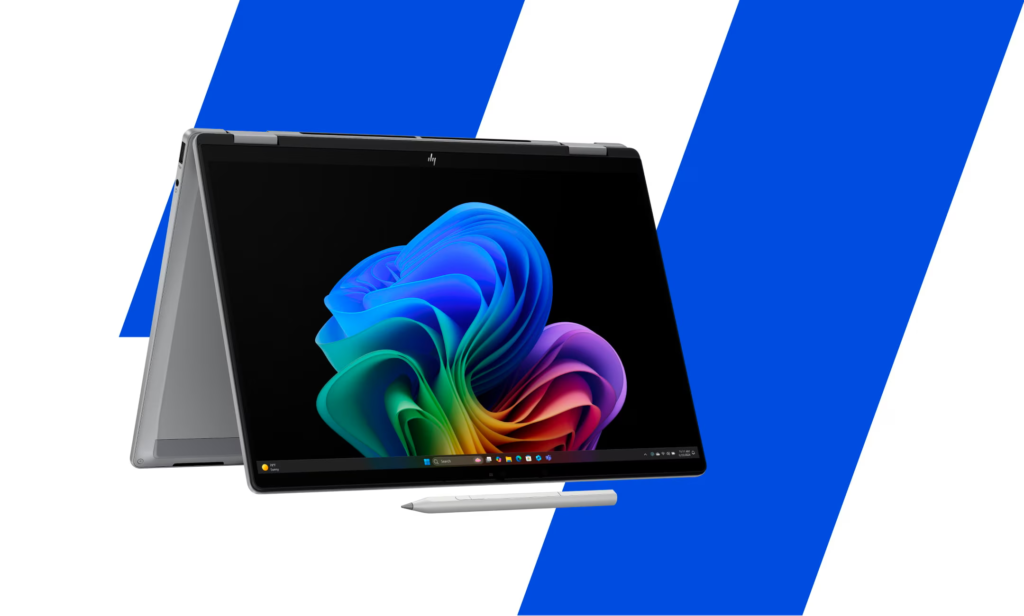
Desktop processors offer higher core counts than their mobile counterparts, enabling genuine parallel processing of demanding tasks. HP workstations feature enterprise-grade processors engineered for sustained heavy loads without performance degradation. Content creators benefit enormously from 12-core or 16-core processors that accelerate video encoding, 3D rendering, and image processing tasks.
Clock speeds matter too, particularly for applications that prioritize single-threaded performance. Gaming, real-time music production, and interactive design tools respond to processor speed, creating snappier user experiences that reduce creative friction. Balancing core count with clock speed ensures you’re not sacrificing responsiveness for theoretical multi-tasking capability. Consider the specific applications you rely on most when making this critical choice between multi-core and high-frequency processors.
Graphics Processing Power
Dedicated graphics cards transform visual workflows, particularly for video editing, 3D design, and gaming. These specialized processors accelerate GPU-optimized applications, reducing timeline scrubbing lag in editing software and dramatically speeding rendering times. Professional-grade GPUs support advanced features like hardware encoding, enabling real-time 4K video processing that would be impossible on integrated graphics.
Choosing between gaming-focused and professional graphics cards depends on your workflow. Gaming cards like NVIDIA’s GeForce series excel at general creative acceleration, while Quadro/RTX professional cards optimize for design-specific workloads and color accuracy. Many creative professionals appreciate how modern HP systems support both approaches, adapting to your specific requirements. VRAM capacity matters too—8GB is baseline for modern work, while 16GB or 24GB proves invaluable for professional creative applications.
Storage Architecture and Speed
Storage speed dramatically impacts your daily workflow more than most users realize. Fast NVMe SSDs reduce application launch times, accelerate file transfers, and enable quicker project loading. Professional video editors appreciate systems where playback remains smooth even while accessing files from storage—a capability that separates responsive systems from frustrating ones.
Storage capacity should consider your project archival strategy. If you work with large video files or extensive photo libraries, local storage of one to two terabytes provides immediate access to projects without constant cloud synchronization delays. HP desktop systems offer flexible storage configurations supporting your growth from current needs through future expansion. Combining fast NVMe for active projects with larger SATA drives for archival provides optimal balance of performance and affordability.
Memory Capacity for Demanding Workflows
Desktop systems support substantial RAM upgrades, accommodating the memory demands of professional-grade applications. Content creators working with 4K video or high-resolution images benefit enormously from 32GB or 64GB configurations that eliminate disk swapping and maintain application responsiveness. Software developers running virtual machines appreciate similar capacity, enabling multiple development environments simultaneously without performance degradation.
Upgrading RAM gradually as your needs evolve offers flexibility that portable systems rarely provide. Start with 32GB and expand to 64GB or beyond as your projects grow more demanding, avoiding unnecessary upfront investment while maintaining upgrade paths for future requirements. This adaptability makes desktop systems particularly practical for evolving professional needs. Memory latency and bandwidth also factor into performance, particularly for applications handling massive datasets.
Connectivity Ecosystem
Stationary systems benefit from comprehensive connectivity options supporting permanent peripheral connections. Multiple USB ports, Thunderbolt connectivity, and expansion slot options create ecosystems where specialized equipment integrates seamlessly. Audio interfaces, video capture devices, additional storage, and networking hardware all connect without juggling limited ports.
Professional monitor support matters tremendously for visual work. HP desktop systems often support multiple simultaneous displays, enabling extended workspaces where content creation, asset libraries, and communication tools occupy separate screens. This screen real estate reduces switching overhead and enables genuine multitasking rather than constant window management. Network connectivity through Gigabit or multi-gig Ethernet ensures reliable high-speed data transfers for collaborative workflows.
Workstation Longevity and Upgrades
Desktop computers evolve gracefully as your needs change. Upgrading individual components—processor, graphics card, storage, or memory—extends your system’s productive lifespan without complete replacement. This modularity proves economically sensible for professionals making long-term commitments to creative work, protecting your initial investment while enabling capability growth over time.
Building your desktop command center represents an investment in capability, stability, and performance that transforms aspirational projects into achievable reality. Professional workstations demand thoughtful selection and investment, yet reward that consideration with years of reliable, powerful computing that accelerates your creative vision and elevates your professional capabilities.

Aria Laurent is a travel and style enthusiast who captures the essence of glamorous journeys around the world. Her writing blends luxury experiences with authentic cultural moments, offering readers a refined perspective on modern travel. From boutique hotels to hidden gems, Aria shares curated insights for those who seek beauty, elegance, and adventure in every destination.